Resetting your MindView interface to its default settings is a super-easy process that will get you running with the factory setup again.
Here is the exact step-by-step guide to implement the change:
Launch MindView and click the File tab.
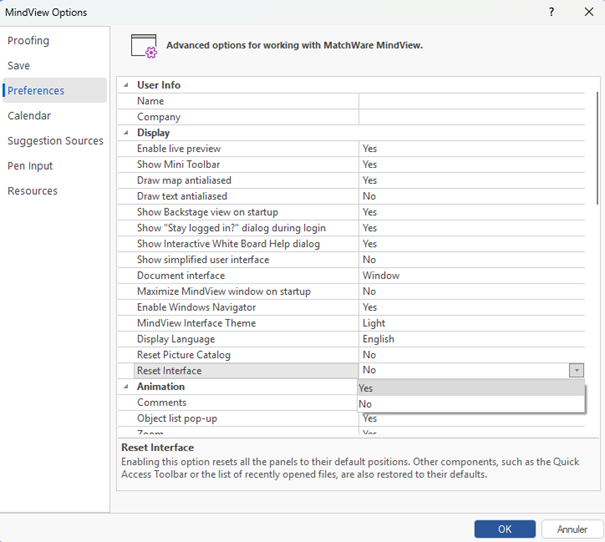
Select Options from the menu on the left.
Choose Preferences from the list.
Scroll down until you see the Reset Interface setting.
Change the value to “Yes.”
Validate this powerful change by clicking OK.
Restart MindView.
That's it! You will immediately see the clean, default interface waiting for you.
